Hughesnet® Voice service includes a variety of features our customers love. To learn more about the different features, click here.
The following FAQ outlines the steps you can take to reset your Voicemail PIN that was previously setup. Please note that you need to order and activate your Hughesnet Voice service to manage your Hughesnet Voice features.
- Register/login to myhughesnet.com.
- Click on the ‘Account’ from the top menu, then ‘Voice’ to visit ‘My Hughesnet Voice Plan’ page.
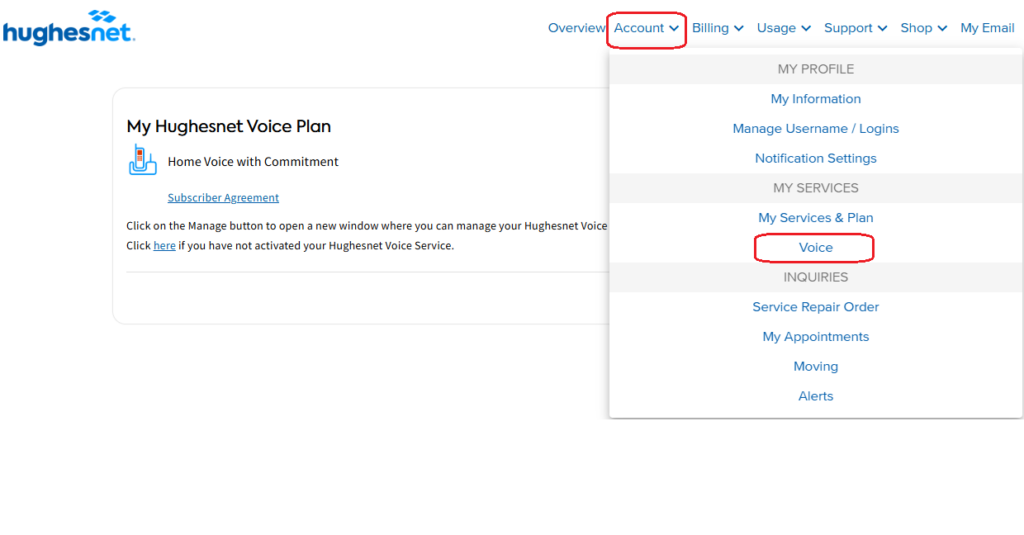
- On the My Hughesnet Voice Plan page, click ‘Manage’ to visit the ‘Voice Dashboard’.
- Once you are in the Hughesnet Voice Dashboard, you will be able to access/manage your Hughesnet Voice features like Sim Ring, Call Rejection, Call Forwarding, Voicemail Settings.
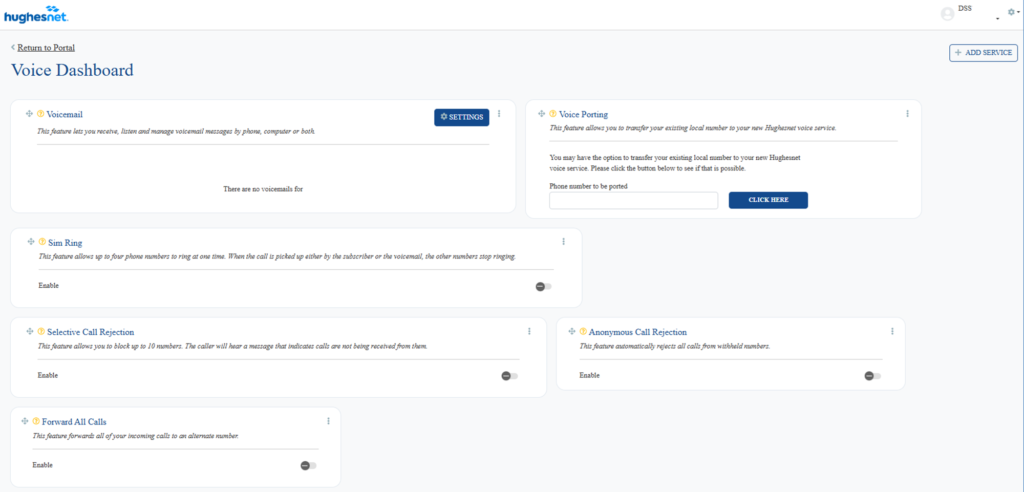
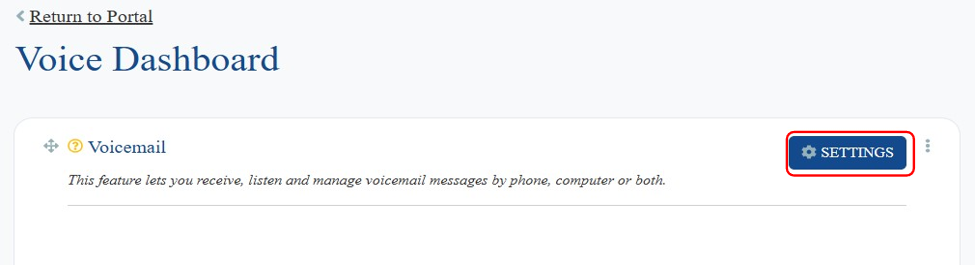
- On the Hughesnet Voice Dashboard, click on the ‘Settings’ button from the ‘Voicemail’ widget as shown in the picture below.
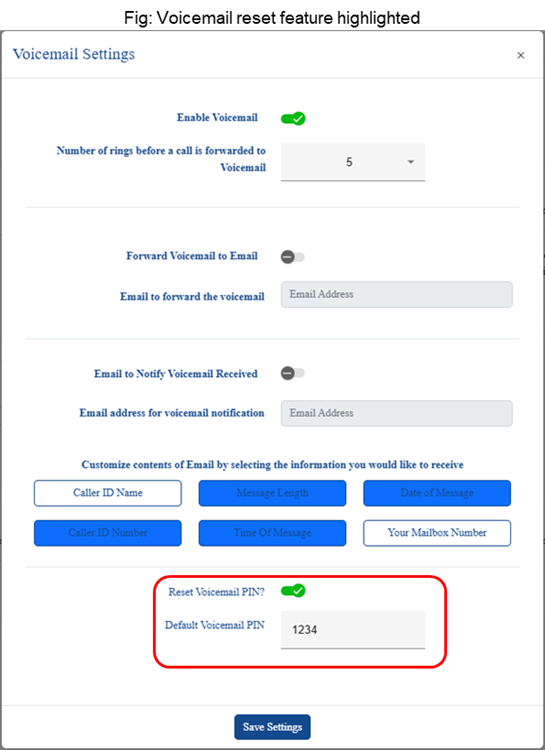
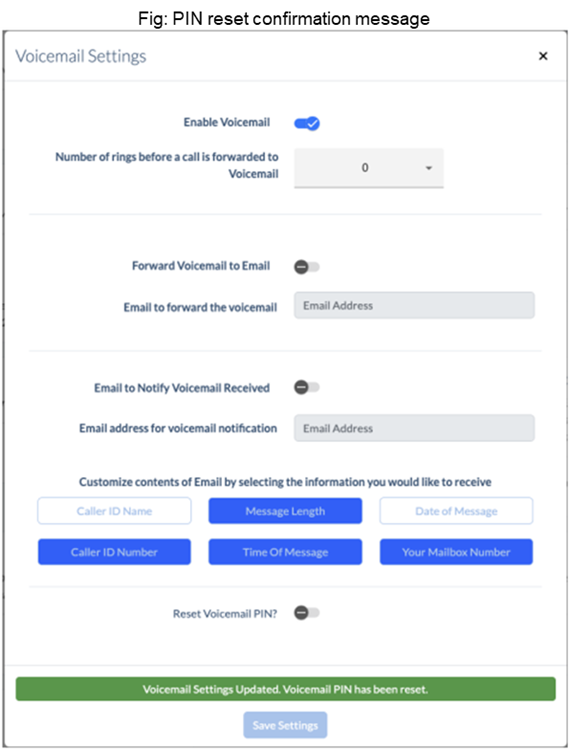
- In the ‘Voicemail Settings’ pop-up, toggle the ‘Reset Voicemail PIN’ setting to ‘ON’ at the bottom. Press ‘Save Settings’ to reset your PIN to the default value. You will then see confirmation message that the PIN has been reset.
Note: If you would like to change any voicemail settings other than the voicemail PIN reset, ensure that the reset toggle is OFF, so you are not resetting your voicemail PIN.
- After resetting your PIN, follow these instructions to set a new one of your choice.
- Dial *333 on the phone you are using with Hughesnet Voice service.
- When prompted to enter your PIN, enter 1234 (the default PIN you reset to).
- You will then be prompted to create a new pin. Follow the voice prompt instructions to setup a new PIN.